
Explore Panda#
Panda turns a sparse LArTPC point cloud into reusable point features, semantic labels, particle instances, or interaction instances. This tutorial starts with one real event from PILArNet-M-mini, then shows the exact calls used for each released checkpoint.
The plots below are live Plotly scenes. Drag to rotate, scroll to zoom, hover a point for coordinates, and click a legend entry to isolate a class or instance. Every plotted point comes from mini test event 0 after Panda’s deterministic inference transforms—these are not screenshots copied from another repository.
TODO — add the released models’ generated panels
The CPU event panels below were regenerated and verified in this checkout. Run the L4 Docs figures workflow, review the four released checkpoints’ outputs, and check in its semantic, base-feature, particle-prediction, and interaction-prediction panels. Until that reviewed artifact is available, this page intentionally shows only the real event views rather than invented model outputs. The workflow executes the checked-in figure-generation source; it does not copy plots from Panda’s repository.
1. Build the dataset and inspect an event#
The example downloads only test/*.h5 from the mini dataset, constructs a
PILArNetH5Dataset, and applies the same
test-time transform shape expected by Panda:
TEST_TRANSFORM = [
    dict(type="NormalizeCoord", center=[384, 384, 384],
         scale=768 * 3**0.5 / 2),
    dict(type="LogTransform", min_val=0.01, max_val=20.0),
    dict(type="GridSample", grid_size=0.001, mode="train",
         return_grid_coord=True),
    dict(type="ToTensor"),
    dict(
        type="Collect",
        keys=("coord", "grid_coord", "energy", "segment_motif",
              "segment_pid", "instance_particle", "instance_interaction",
              "segment_interaction"),
        feat_keys=("coord", "energy"),
    ),
]
Download the test shard into the Hugging Face cache, then pass a normal pimm
dataset configuration to
build_dataset():
import numpy as np
from huggingface_hub import snapshot_download
from pimm.datasets import build_dataset

data_root = snapshot_download(
    repo_id="DeepLearnPhysics/PILArNet-M-mini",
    repo_type="dataset",
    allow_patterns=("test/*.h5",),
)

dataset_cfg = dict(
    type="PILArNetH5Dataset",
    data_root=data_root,
    split="test",
    revision="v2",
    transform=TEST_TRANSFORM,
    energy_threshold=0.13,
    min_points=1024,
)
dataset = build_dataset(dataset_cfg)

# GridSample chooses one representative per occupied voxel. Fix the seed so
# this tutorial selects the same representatives every time.
np.random.seed(7)
sample = dataset[0]
sample is already in Panda’s single-event input format because the final
Collect transform creates feat and offset:
sample["coord"].shape       # torch.Size([1175, 3])
sample["grid_coord"].shape  # torch.Size([1175, 3])
sample["feat"].shape        # torch.Size([1175, 4]): x, y, z, energy
sample["offset"]             # tensor([1175])
The resulting event has 1,175 points. The input feature at each point is normalized \((x,y,z)\) plus log-scaled energy; the model-facing dictionary also contains integer grid coordinates and an offset delimiting the event.
The two label views answer different questions. Trajectory topology says what a local shape looks like (shower, track, Michel, delta, or low-energy deposit). Particle identity says which particle produced it.
Static fallback for the label plot
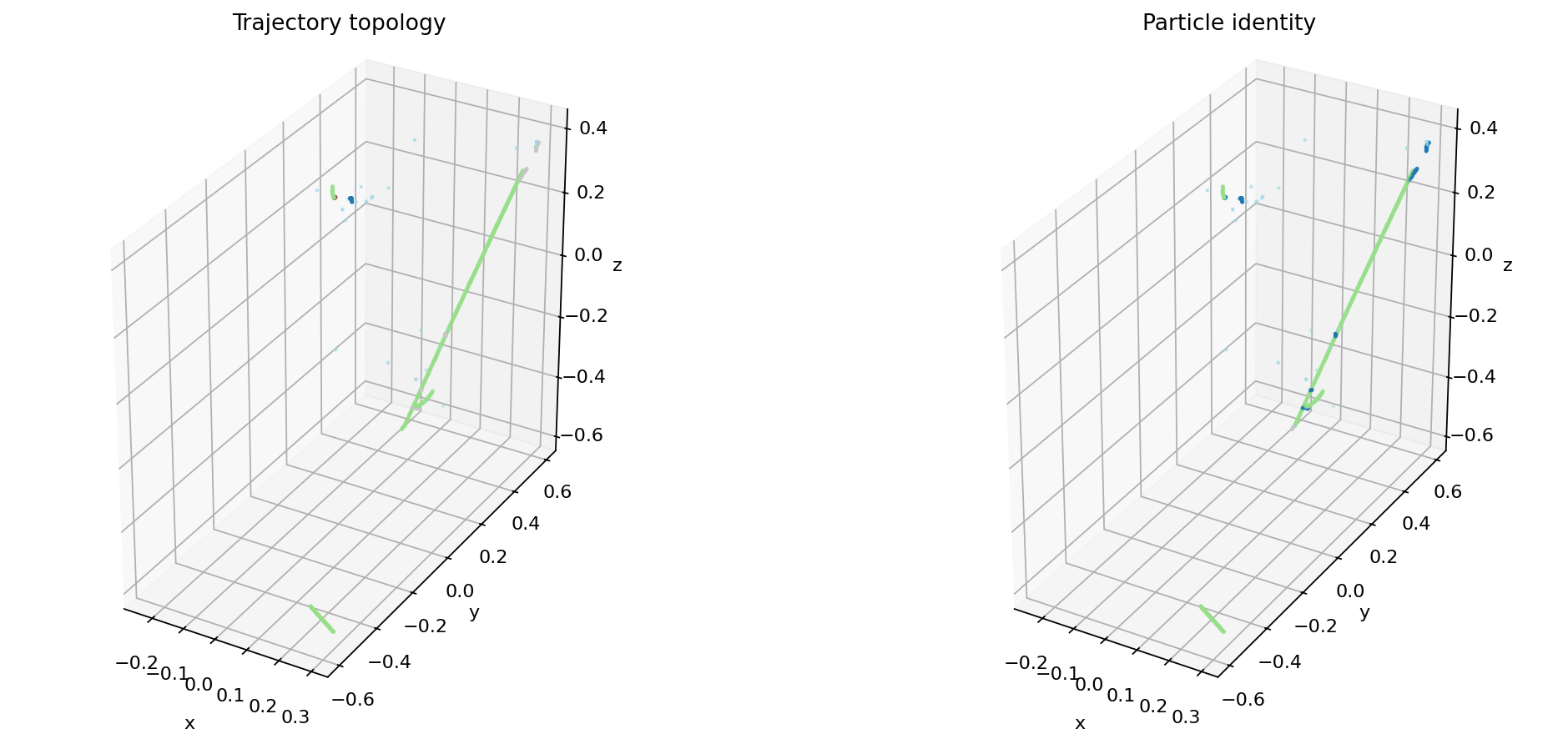
The exact class counts after voxel sampling are:
Topology |
Points |
Particle identity |
Points |
|---|---|---|---|
Shower |
39 |
Electron |
177 |
Track |
964 |
Muon |
947 |
Michel |
18 |
Proton |
17 |
Delta |
120 |
None / LED |
34 |
Low-energy deposit |
34 |
Photon / pion |
0 |
2. Run semantic segmentation#
pimm.from_pretrained reconstructs
the architecture from the Hub export, loads its weights into the requested
device, and switches it to evaluation mode. Call the module instance—not its
.forward() method—so PyTorch can run registered hooks.
import torch
import pimm

model = pimm.from_pretrained(
    "DeepLearnPhysics/Panda-Semantic",
    device="cuda",
)

input_dict = {
    key: sample[key].cuda()
    for key in ("coord", "grid_coord", "feat", "offset")
}
with torch.inference_mode():
    output = model(input_dict)

semantic_logits = output["seg_logits"]   # (N, 5)
semantic_class = semantic_logits.argmax(dim=1)
The pending L4 output is panda-semantic.html, an interactive
truth-versus-prediction view for the same event. Inference currently needs CUDA
because this released PTv3 model uses spconv; the event exploration in
section 1 remains CPU-runnable.
3. Explore the base representation#
The base checkpoint returns a Point
whose feat field contains one learned vector per retained point:
base = pimm.from_pretrained(
    "DeepLearnPhysics/Panda-Base",
    device="cuda",
)
with torch.inference_mode():
    point = base(input_dict)

features = point.feat                    # (N, C)
u, _, _ = torch.pca_lowrank(features.float(), q=3, center=True)
rgb = (u - u.amin(0)) / (u.amax(0) - u.amin(0)).clamp_min(1e-12)
PCA-to-RGB is a visualization, not a classifier: nearby colors mean the frozen
representation placed points in similar directions along its first three
principal components. Run --models base to regenerate the interactive view.
4. Group particles and interactions#
Semantic labels describe points independently. The two detector checkpoints
instead predict query masks and then turn them into per-point instance IDs with
postprocess().
particle_model = pimm.from_pretrained(
    "DeepLearnPhysics/Panda-Particle",
    device="cuda",
)
with torch.inference_mode():
    raw_output = particle_model(input_dict)

particles = particle_model.postprocess(raw_output)
particle_instance = particles["instance_labels"]
particle_class = particles["class_labels"]
particle_confidence = particles["confidences"]
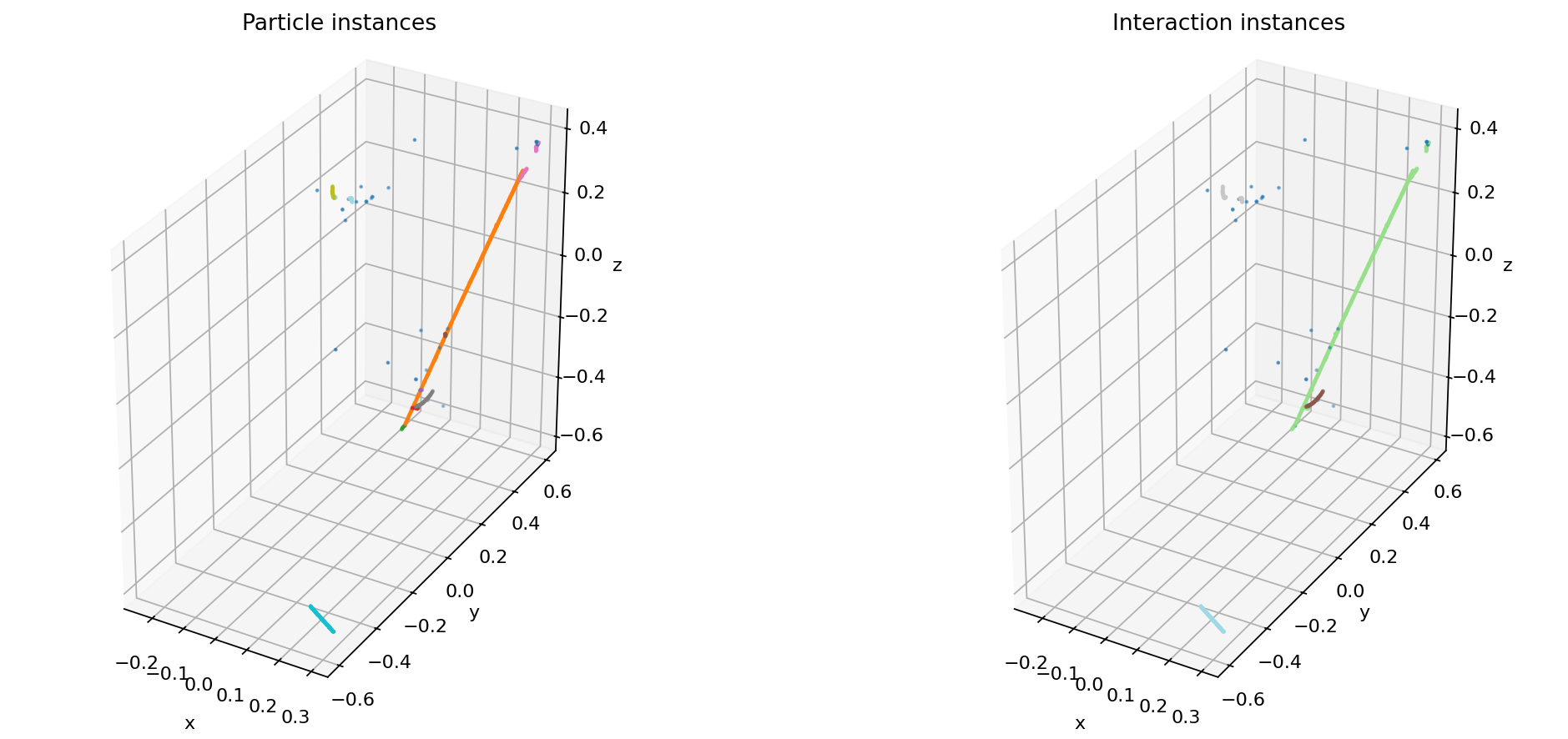
The truth event contains 10 particle instances. Click an instance in the legend to follow it through overlapping trajectories.
Interaction grouping uses the same interface and a different released model:
interaction_model = pimm.from_pretrained(
    "DeepLearnPhysics/Panda-Interaction",
    device="cuda",
)
with torch.inference_mode():
    raw_output = interaction_model(input_dict)

interactions = interaction_model.postprocess(raw_output)
interaction_instance = interactions["instance_labels"]
The same event contains 4 interaction instances.
Static fallback for the instance plots
5. Choose a released checkpoint#
Hub model |
Output |
Use it for |
|---|---|---|
|
|
Feature extraction, probes, and custom heads |
|
|
Per-point trajectory topology |
|
Particle masks, classes, confidence |
Particle-instance reconstruction |
|
Interaction masks and confidence |
Grouping causally related particles |
On V100, RTX 20-series, or L40S hardware, set every enable_flash field in the
released configuration to False before model construction.
Where to go next#
Parameter-efficient fine-tuning fine-tunes a released representation with a small trainable parameter budget.
Load, run, and fine-tune a model explains cache placement, revisions, and local exports.
../data/transforms explains each preprocessing step and how to preserve point-aligned labels.
Evaluate an experiment covers dataset-scale evaluation instead of a single interactive event.